
Simcenter 3D Essentials Training

Course Overview:

The Simcenter 3D Essentials Training course introduces users to the tools and techniques required for performing predictive analytics within Simcenter 3D. Designed to help new users build confidence quickly, the training includes various hands-on activities that culminate in practical expertise.

Upon completion, participants will gain the essential skills needed to efficiently create, refine, and analyze FEA models within the software.


Sounds like something you would be interested in?
Who Should Get Simcenter 3D Essentials Training?

This course is designed for individuals who need to perform finite element analysis (FEA) on structural designs. It is ideal for:

  • Designers and engineers developing and evaluating structural performance.
  • Manufacturing engineers supporting design optimization and production readiness.
  • Technical professionals requiring simulation-driven insights for structural analysis.

Prerequisites:

  • Proficiency in basic CAD skills.
  • Fundamental understanding of the mechanics of materials.
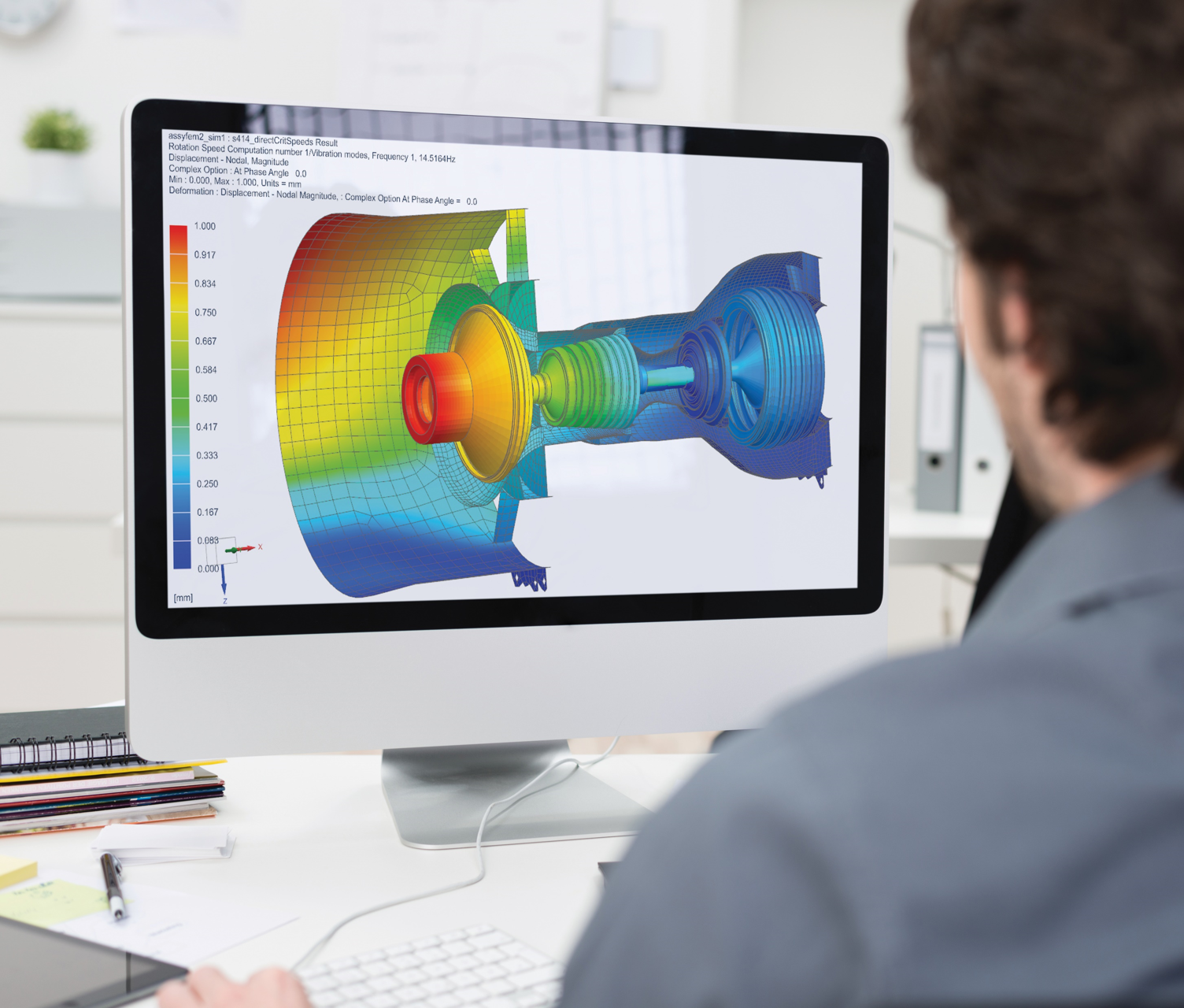
Photo of a person working at a desktop computer. They have Simcenter 3D software pulled up.

Training Objectives:

  • Familiarize designers with the Simcenter 3D user interface and associated terminology.
  • Learn fundamental methods for preparing geometry.
  • Understand and apply mesh generation techniques.
  • Configure simulations with appropriate boundary conditions.
  • Explore stress life analysis.
  • Post-process and interpret simulation results effectively.

Course Topics:

Take a look at the topics covered day-to-day in our Simcenter 3D Essentials Training:

Schedule Overview:

Day 1 

Day 2 

Day 3 

Day 4 

Day 5 

  • Introduction to Simcenter 3D
  • Model Preparation & Meshing
  • Connections & Boundary conditions
  • Advanced Case Studies & Analysis Techniques
  • Simulation Results & Post-Processing

Day 1: Introduction to Simcenter 3D

Establish a strong foundation by exploring the interface and understanding file creation in Simcenter 3D.

  • Familiarize with the Simcenter 3D interface, navigation tools, and terminology.
  • Learn how to create and manage FEM and SIM files effectively.
  • Organize and manage model components using grouping techniques.


Day 2: Model Preparation & Meshing

Develop skills for preparing geometry and generating meshes for accurate simulations.

  • Use synchronous modeling to modify parts and prepare them for analysis.
  • Create midsurfaces to simplify thin geometries while retaining structural integrity.
  • Generate, refine, and manage 3D, 2D, and 1D meshes, including setting up mesh controls and manually editing meshes.


Day 3: Connections & Boundary Conditions

Understand and model connections and set up boundary conditions for realistic simulations.

  • Model different types of connections, including spider elements, pinned connections, bolted connections, and glue connections.
  • Build FEMs for assemblies and incorporate component-level connections.
  • Apply realistic loads, constraints, and environmental boundary conditions for specific scenarios.


Day 4: Advanced Case Studies & Analysis Techniques

Apply advanced tools and techniques to solve real-world engineering problems.

  • Perform and study case analyses, including clamping force, mold pressure, and weight optimization.
  • Use table fields and expressions to define pressure and temperature distributions.
  • Conduct stress life analysis on components subjected to repeated loading cycles.


Day 5: Simulation Results & Post-Processing

Master post-processing techniques for interpreting and presenting simulation results.

  • Diagnose and resolve missing material definitions during analysis.
  • Perform modal analysis to evaluate vibration and frequency.
  • Use contour plots, graphs, animations, and visibility settings to visually interpret simulation results.
  • Generate detailed reports to communicate findings concisely and professionally.

Ready to Enrol?

Once the following form is complete, we will generate a quotation and reach out to discuss the next steps for securing seats for trainees.