
NX Line Designer Training

Course Overview:

The NX Line Designer training provides a complete, end-to-end learning experience that builds both foundational and advanced skills. Through guided instruction and hands-on exercises, participants learn to create factory layouts, place and configure equipment, define kinematics, use Reusable and Smart Components, perform collision and clearance checks, and generate reports and documentation.


The course delivers a comprehensive understanding of Line Designer and its full design capabilities.
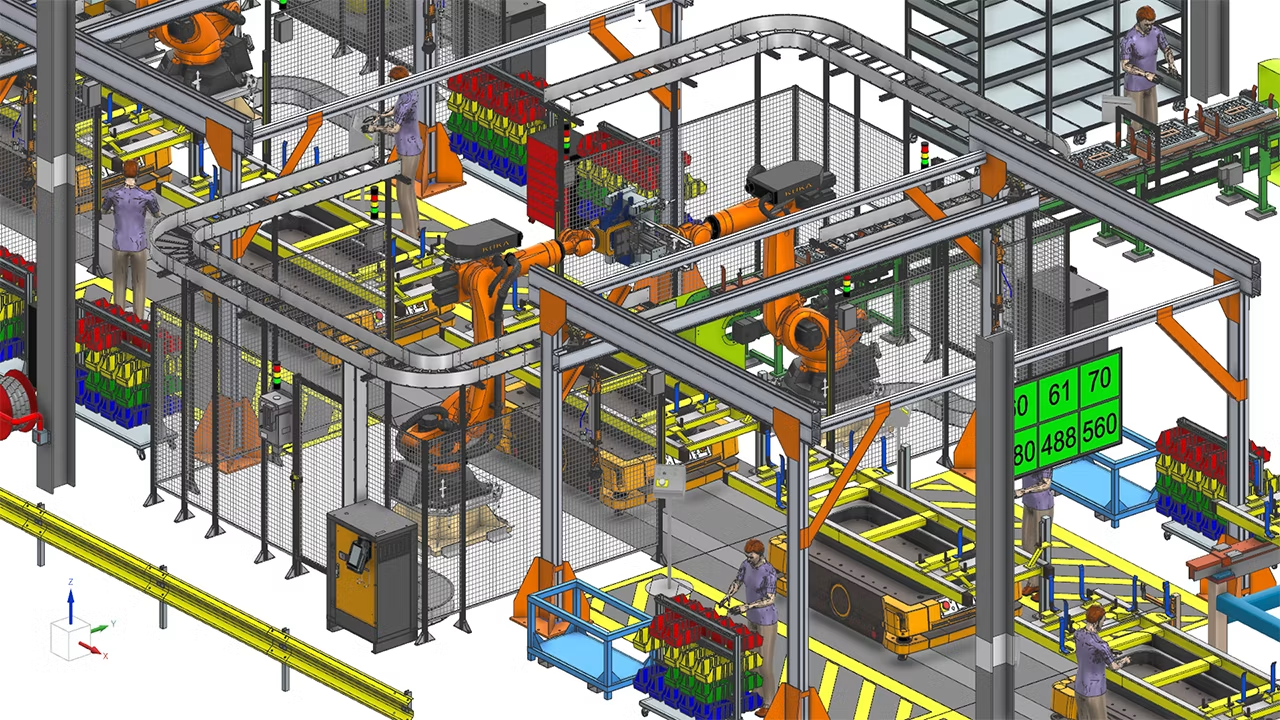
A photo of the NX Line Designer software in action. It shows an example of a factory line design.

Who Should Get NX Line Designer Training?

This course is designed for individuals who are new to NX Line Designer. It is ideal for:

  • Manufacturing engineers, planners, and industrial engineers who need to create, manage, or visualize factory layouts, equipment placement, and production line configurations.
  • Facility designers, educators, and trainers involved in manufacturing engineering, industrial technology, or factory planning programs.
  • Technical students and apprentices interested in digital manufacturing, plant layout, or production system design.

Prerequisites:

  • Experience with Siemens NX part modeling, such as navigating the interface and working with simple geometry.
  • Understanding of NX assemblies, including opening assemblies and knowing how components relate to each other.

Training Objectives:

  • Navigate the NX Line Designer interface and understand its core components and workflows.
  • Create factory designs by placing and organizing machines, equipment, and supporting structures.
  • Use associative patterns and connectors to rapidly build flexible, configurable layouts.
  • Define kinematics and assess equipment reachability within a production layout.
  • Understand and use Reusable and Smart Components effectively.
  • Leverage collision detection and clearance checking to validate and improve layout quality.
  • Generate reports and documentation to support layout review and communication.

Course Topics:

Take a look at the topics covered day-to-day in our NX Line Designer Training:

Section 1: Introduction to Line Designer

Familiarize users with the Line Designer environment and basic workflow.

  • Understand the Line Designer interface and locate key commands and tools.
  • Develop proficiency in navigating, organizing, and creating plant structures.
  • Learn how to access and apply Reuse Libraries.


Section 2: Advanced Line Designer Features

Learn to apply advanced Line Designer tools that streamline layout development and enable the creation of accurate, flexible, and well-designed factory layouts.

  • Apply associative component patterns to build flexible, configurable layouts.
  • Use and create connectors to define relationships and positioning logic.
  • Define basic kinematics for equipment to assess motion and reachability.
  • Work with Reusable and Smart Components to improve design efficiency and consistency.
  • Perform collision detection and clearance checks to validate layout integrity.


Section 3: Reporting and Documentation Tools

Become proficient with Line Designer’s reporting and documentation tools.

  • Use the Report This Column feature with color-coding for clear reporting and visualization.
  • Tailor and export Bill of Equipment (BoE) reports to support review and communication.
  • Create installation drawings and generate 3D PDF documentation for downstream use


Section 4: Summary Project

Apply all learned skills in a comprehensive, end-to-end project.

  • Complete a full production line design from start to finish, incorporating equipment placement, connectors, kinematics, Reusable and Smart Components, and reporting tools.
  • Share additional insights and tips to reinforce learning.


Day 1 

Day 2 

  • Section 1: Introduction to Line Designer
  • Section 2: Advanced Line Designer Features
  • Section 3: Reporting & Documentation Tools
  • Section 4: Summary Project

Ready to Enrol?

Once the following form is complete, we will generate a quotation and reach out to discuss the next steps for securing seats for trainees.