
NX Post Builder Advanced Training

Course Overview:

The NX Post Builder Advanced Training is designed for experienced NX CAM users who want to develop, customize, and optimize postprocessors. This course focuses on advanced post building techniques, including TCL programming, MOM variables and procedures, output customization, event handlers, machine kinematics configuration, and debugging strategies.

Through hands-on exercises, participants will learn to create and modify posts that generate accurate, efficient NC code tailored to specific machines and controllers.
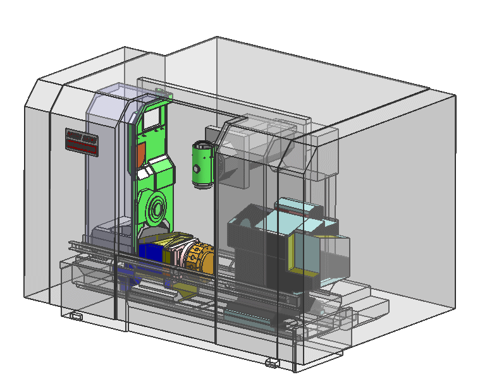
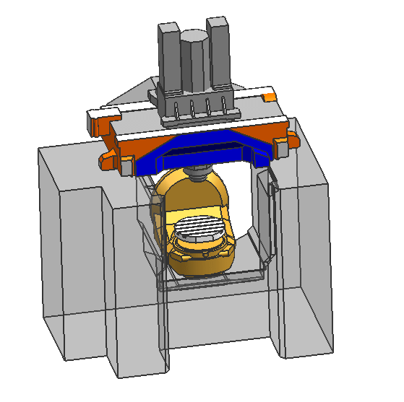
Who Should Get NX Post Builder Advanced Training?

This course is intended for NX CAM users with a strong understanding of CAM fundamentals who want to expand their skills into postprocessor development using NX Post Builder.

It is ideal for professionals looking to customize and control NC code output for specific machines and controllers, and who have foundational knowledge of CNC machining, G-code structure, and postprocessing concepts.

Prerequisites:

  • Completion of NX CAM Advanced Training or equivalent experience
  • Solid understanding of multi-axis CAM and CNC machining, including toolpath strategies and operations
  • Ability to read and interpret G-code for CNC machining applications

Training Objectives:

  • Develop and customize postprocessors using NX Post Builder
  • Apply TCL programming, MOM variables, and procedures to control NC code output
  • Configure and manage machine kinematics for accurate code generation
  • Adapt event handlers and output logic for specific machine and controller requirements
  • Debug, test, and validate postprocessors to ensure reliable and efficient NC code generation

Course Topics:

Take a look at the topics covered day-to-day in our NX Post Builder Advanced Training:

Day 1:

Introduction to Post Builder

Objective: Ensure all participants reach a consistent understanding of the NX Post Builder environment before beginning postprocessor programming.

  • Explore the NX Post Builder user interface, including layout, navigation, and key panels
  • Understand the purpose and functionality of core tools, buttons, and configuration areas
  • Navigate postprocessor structure within the UI, including events, templates, and output organization


Create, Edit and Debug Basic 3-Axis Post

Objective: Build the ability to create, modify, and validate a basic 3-axis postprocessor using core Post Builder functions.

  • Create and configure a basic 3-axis postprocessor using NX Post Builder
  • Edit postprocessor settings and output formats to meet specific machine requirements
  • Add and adapt custom code to support controller-specific formats, commands, and behaviors
  • Debug, test, and validate post output to ensure accurate and reliable NC code generation


Day 2:

TCL Programming for Post Customization

Objective: Gain practical skills in using TCL to customize postprocessor behavior and control NC code output.

  • Understand the fundamentals of TCL programming as applied in NX Post Builder
  • Learn and apply commonly used TCL commands and coding patterns for post customization
  • Write and integrate TCL code to customize postprocessor behavior and output formats
  • Debug and validate TCL logic to ensure accurate and reliable NC code generation


Dissect and Understand a 5-Axis Post

Objective: Achieve a clear understanding of 5-axis postprocessors through detailed analysis of structure, logic, and code.

  • Break down the structure and organization of a 5-axis postprocessor within NX Post Builder
  • Analyze TCL code, events, and procedures to understand how NC output is generated
  • Understand how kinematics, tool axis control, and multi-axis motion are defined in the code
  • Explore the complete postprocessor framework, including underlying components not directly exposed in the Post Builder interface


Day 3:

Develop and Configure a 5-Axis Postprocessor

Objective: Learn the fundamentals of creating and configuring a 5-axis postprocessor within NX Post Builder.

  • Create a 5-axis postprocessor using NX Post Builder tools and templates
  • Configure basic machine kinematics and rotary axis settings
  • Apply standard TCL logic and event handling for multi-axis output
  • Test and verify postprocessor output for correct 5-axis motion


Build and Adapt a Mill-Turn Postprocessor

Objective: Apply advanced techniques to create and adapt a Mill-Turn postprocessor for specific controllers and complex multi-axis operations.

  • Adapt a template postprocessor to a specific controller and machine brand
  • Configure mill-turn kinematics and machine behavior for accurate output
  • Implement and validate advanced functions, including RCS, TCP, and multi-axis canned cycles
  • Test and refine post output to ensure reliable multi-axis machining performance


Day 1 

Day 2 

Day 3 

  • Introduction to Post Builder
  • Create, Edit and Debug Basic 3-Axis Post
  • TCL Programming for Post Customization
  • Dissect and Understand a 5-Axis Post
  • Develop and Configure a 5-Axis Postprocessor
  • Build and Adapt a Mill-Turn Postprocessor

Ready to Enroll?

Once the following form is complete, we will generate a quotation and reach out to discuss the next steps for securing seats for trainees.